Putty Party
PricingStart for free
For mini-golf venues

Turn pen & paper
into an experience.

Putty Party is the digital scorecard for your venue. Guests scan a QR code at the entrance and play through your course with live scoring, without an app or an account. At the end they share their result. You set the logo, the holes and the look.

Set up your venue for freeTry it without signing up →
For venues & businesses

Your experience, your branding

With a QR stand at the entrance, every group that comes plays through your venue digitally. Spur-of-the-moment rounds stay free. If you offer it for good, you can make it your own.

Your branding, not ours

The live screen and the scorecard show your venue, with no third-party logo.

A permanent QR at the entrance

A stand in your colours, with your logo right in the code. You print it once and keep using it.

Your holes, with character

A name, photo and tip per hole turn 18 holes into a guided tour.

Venue leaderboard

The best rounds of the week go up on the screen, which gives guests a reason to come back.

See pricingStart for free

How it works

Three steps from an empty course to a live ranking.

1

Create your account

Sign up for free, then set the name, your holes and your look. You do it once and your venue is live.

2

Put up the QR code

Put a stand at the entrance or share the link. Guests enter their score on their own phone.

3

Follow it live

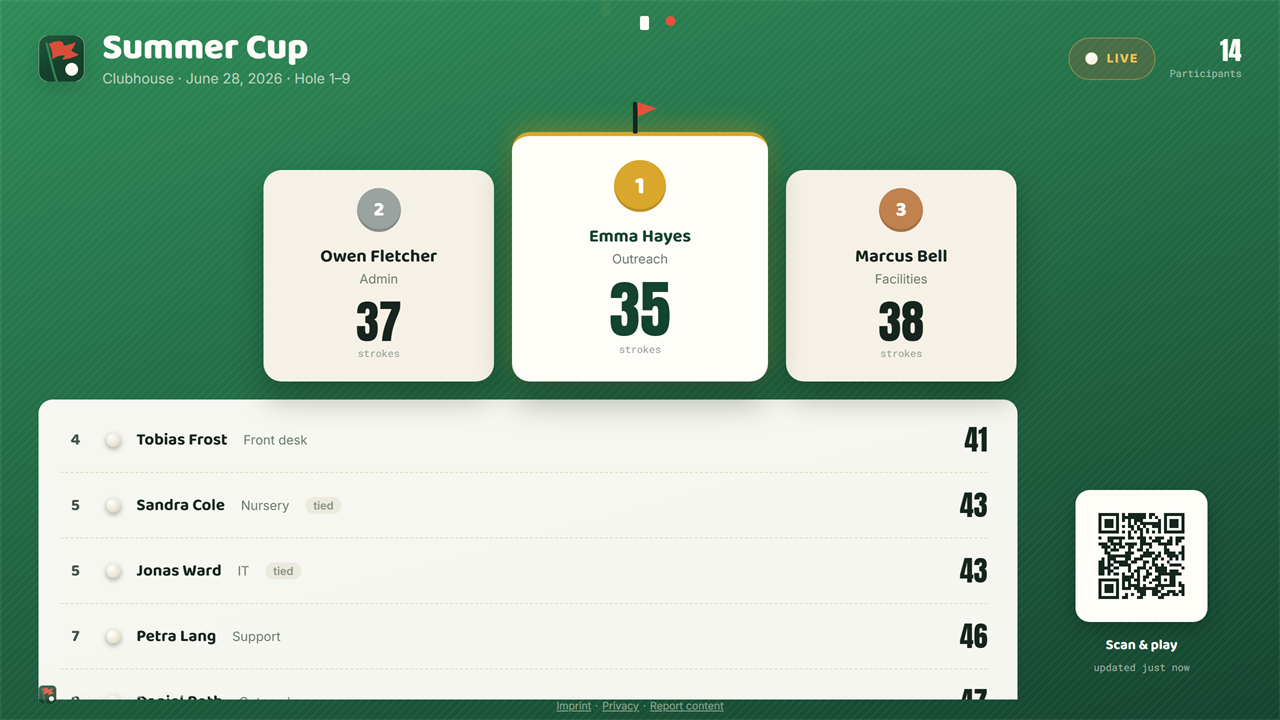
The leaderboard updates in real time on the big screen, with podium, ranks and climbers.

Two ways to score

Everyone for themselves, or one for all

Each group decides for itself how to count. Both ways fill the same leaderboard.

Everyone on their own phone

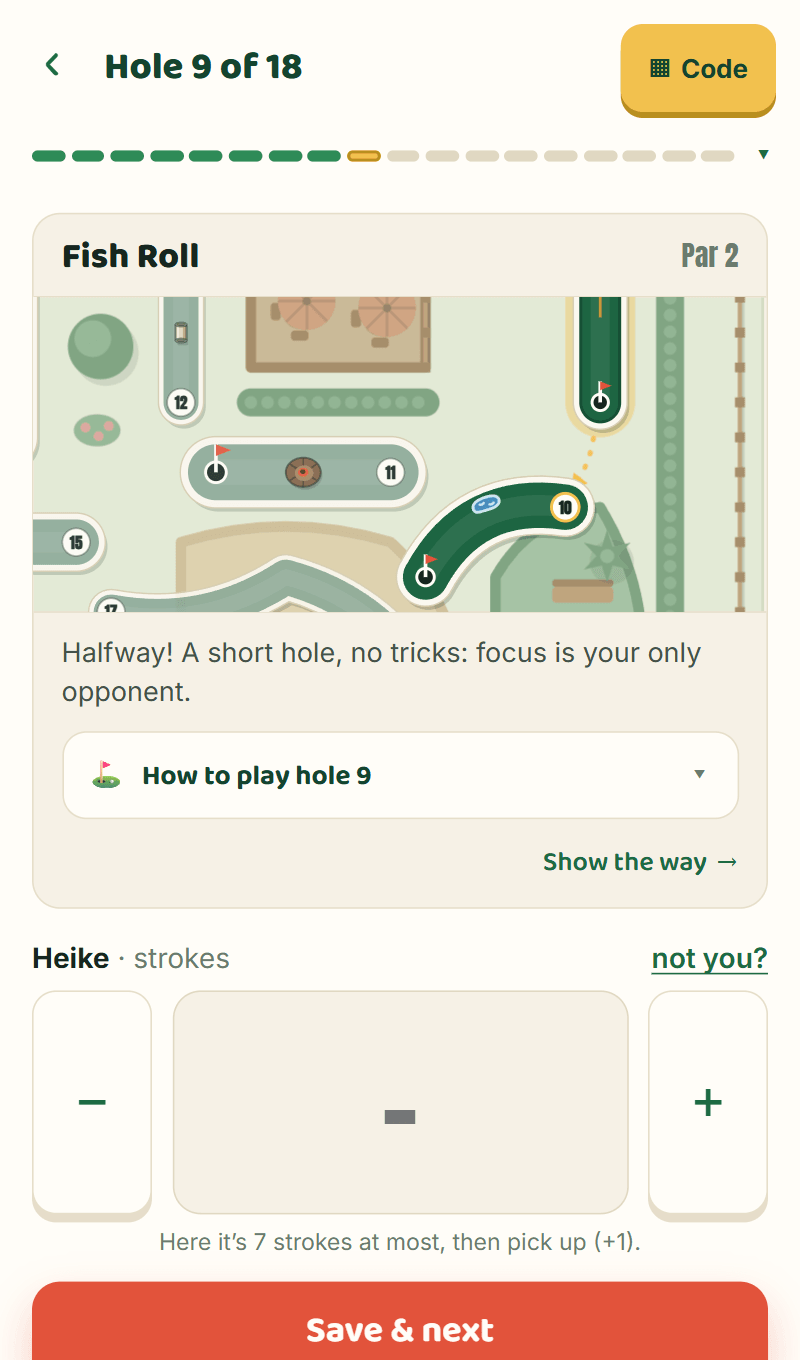
Your guests scan the code and play through hole by hole, with a map, the par and your tip for every hole. At the end they see where they placed and can share their result.

  • Own phone, own score
  • Map and tip for every hole
  • No account, no app

One counts for all

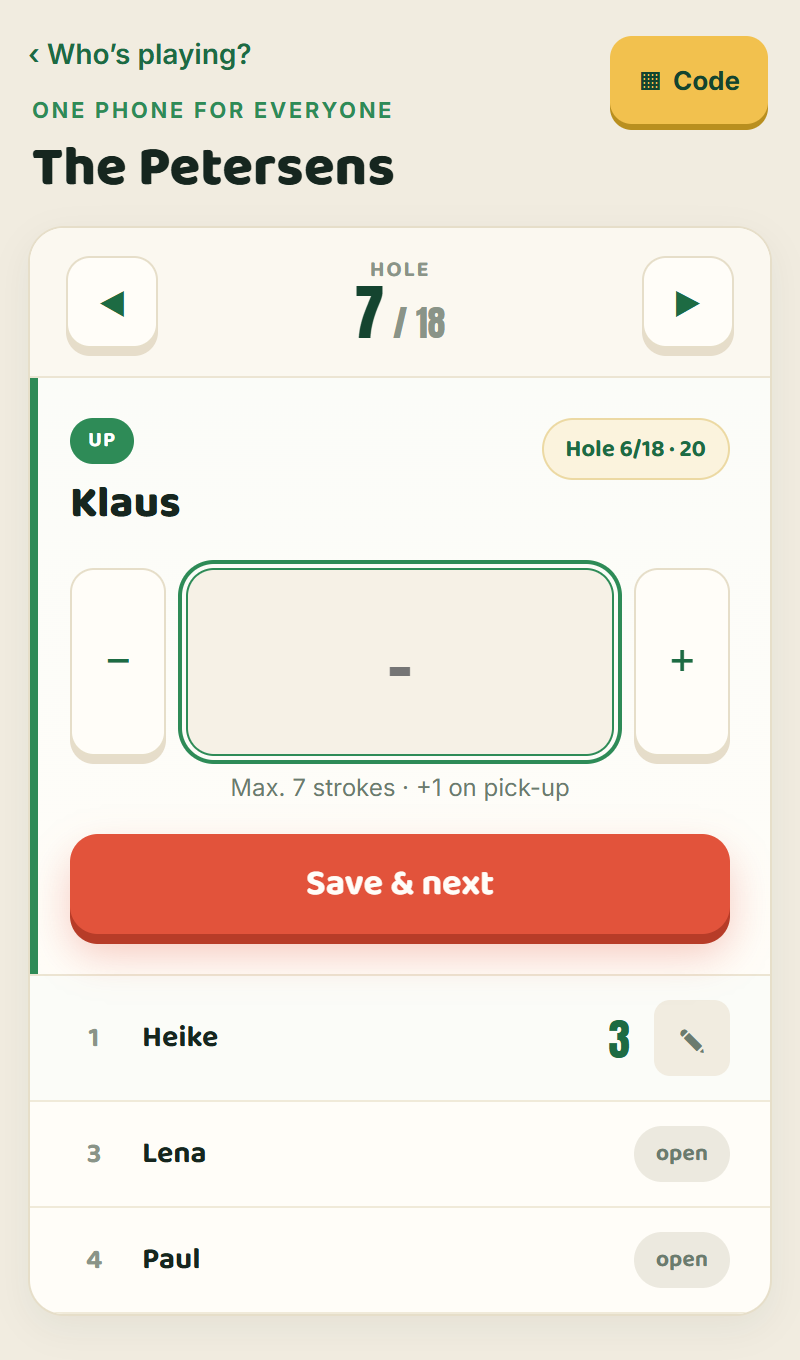
Not everyone wants to pull out their phone. Then one person in the group enters everyone’s strokes, hole by hole in a fixed order. Anyone who wants to count for themselves scans the group’s code and joins in.

  • One phone for the whole group
  • Hole by hole, in a fixed order
  • Good for families with kids

Live on the big screen

Put the leaderboard on a projector or TV. Podium, shared ranks and climbs/drops update live the moment someone enters a score.

Hole detail

Every hole, the way it plays

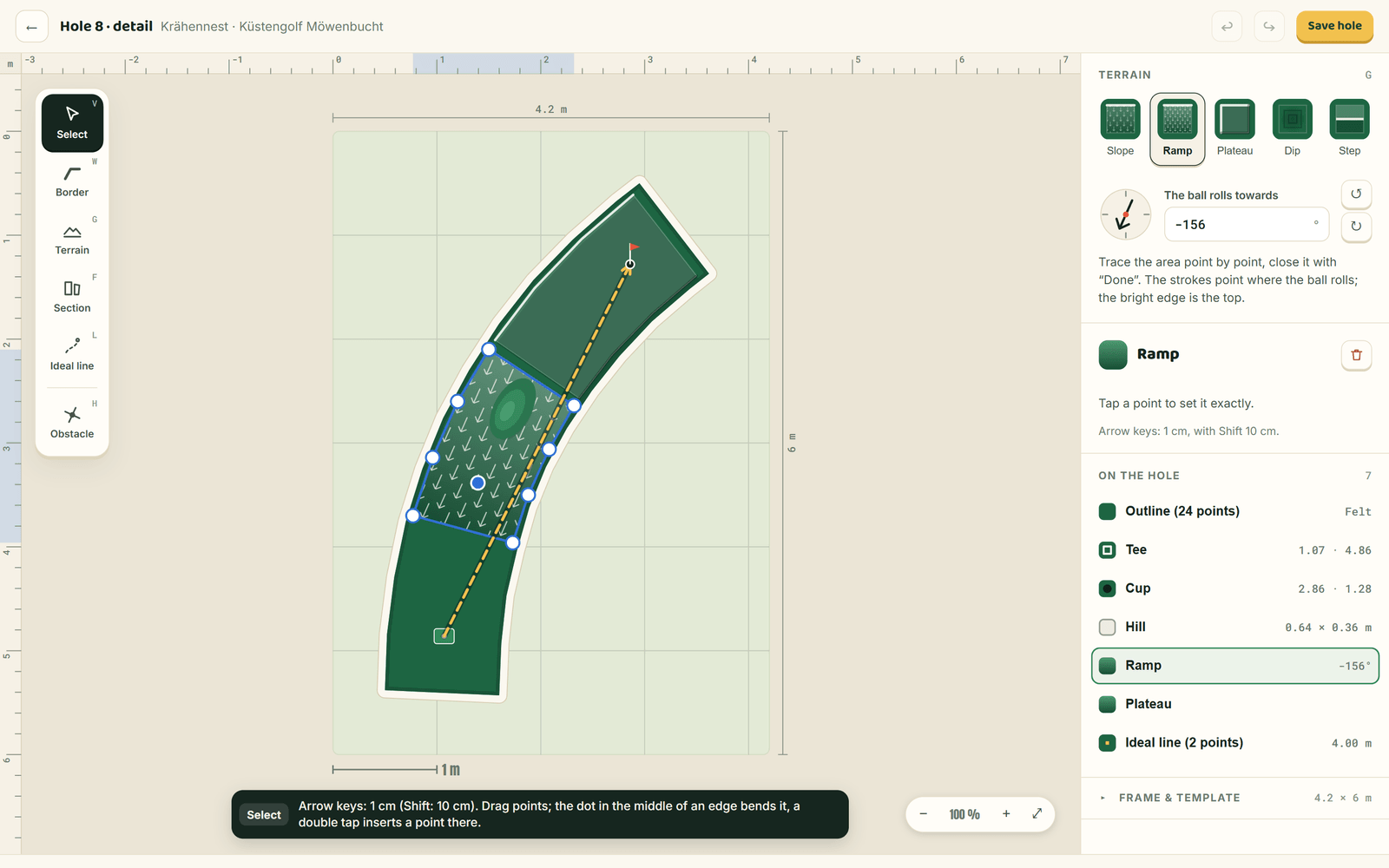
Trace a hole to the centimetre: borders, obstacles, slopes and the ideal line. Your guests open it on their phone and see how to play it.

How to play hole 8
  • Dashed: the ideal line
  • Strokes: the tip points where the ball rolls
What the guest sees
What you get

More than a leaderboard

A round of mini-golf becomes a guided tour of your venue, with your name on it.

Your holes, as a map

Upload your site plan or trace the holes yourself. Guests see on their phone where they are standing and where to go next.

  • Upload a site plan or draw the map
  • Photo, par and tip per hole
  • “You are here” instead of guessing

A stand that belongs to you

The QR studio puts your logo in the middle of the code and hands you posters and table tents, print-ready.

  • Your logo inside the QR code
  • Posters and table tents to print
  • Your colours on the screen and the scorecard

A reason to come back

The best rounds of the past weeks stay up on the screen. Whoever just missed out comes back next week.

  • A leaderboard for the whole venue
  • Last 7 days, 30 days or all time
  • Keeps running between rounds

No app. No account. No tracking.

Guests scan the code and play. Nothing else happens.

No app

The QR code opens a web page. There is nothing to install, on any device.

No account for guests

Enter a name, enter a score, done. No sign-up, no email address.

No tracking

No analytics, no ad networks, self-hosted fonts. The only request that leaves the page is the spam check, and only once somebody without an account agrees and sends a form to start something.

Frequently asked questions

What venue operators and organisers ask most often.

Do guests need an app or an account?

No. The QR code opens an ordinary web page in the browser. There is nothing to install, no sign-up and no e-mail address. Guests only enter a name, and a nickname is fine.

Does everyone need a phone?

No. One person in the group can enter the strokes for everyone, hole by hole in a fixed order. That works well for families with children. Anyone who wants to keep their own score scans the group's code and joins in. Both ways feed the same leaderboard.

We are only celebrating once. Do we need an account?

No. For a company party, a summer party or a birthday at a rented course, you set up a game on the home page in 30 seconds, with no account and at no cost. You get a secret management link straight away to run the game. Print the QR code for your guests, or share the link in your group chat.

How much does Putty Party cost?

There is a free plan and two paid ones: Starter for €19 and Pro for €49 a month. Paid annually, it is €15 or €39 a month. All prices are final, no VAT is charged (small business under § 19 UStG). A one-off event without an account costs nothing.

What data does Putty Party store about my guests?

Only what they enter themselves: a name, which may be a nickname, the strokes and optionally a team. Guests need no account and give no e-mail address. There are no analytics services, no ad networks and no tracking cookies.

All questions and answers →

Just a one-off event?

Summer party, company outing or a birthday at a rented venue? Set up a game in 30 seconds, with no account, no app and no cost. You get a secret management link straight away.